Payments
Track and record payments received from clients.
What are the key benefits of the Payment section?
The Payment section is used to track and record the payments.
- Centralized Payment Tracking: View all client payments in one place.
- Real-time Payment Overview: Dashboard cards show This Month's Collections, Pending Payments, Average Payment Time.
- Clear Payment Status Visibility: Each payment has a clear status such as: Completed, Pending, Processing.
- Invoice & Client Mapping: Payments are linked to Invoice number and Client name.
How to Record a Payment
Track payments received from clients
Recording a Client Payment
Track all client payments in one place, including completed, pending, and processing transactions. The payments dashboard provides real-time visibility into collections and cash flow.
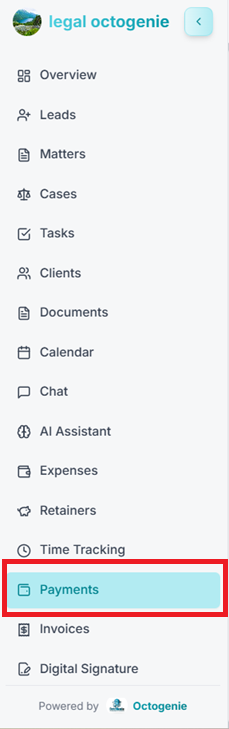
Navigate to Payments
Log in to the OctoGenie Partner Portal. From the left-hand menu, click on Payments to open the payments dashboard.
Opens in a new tab • partner.octogenie.com/
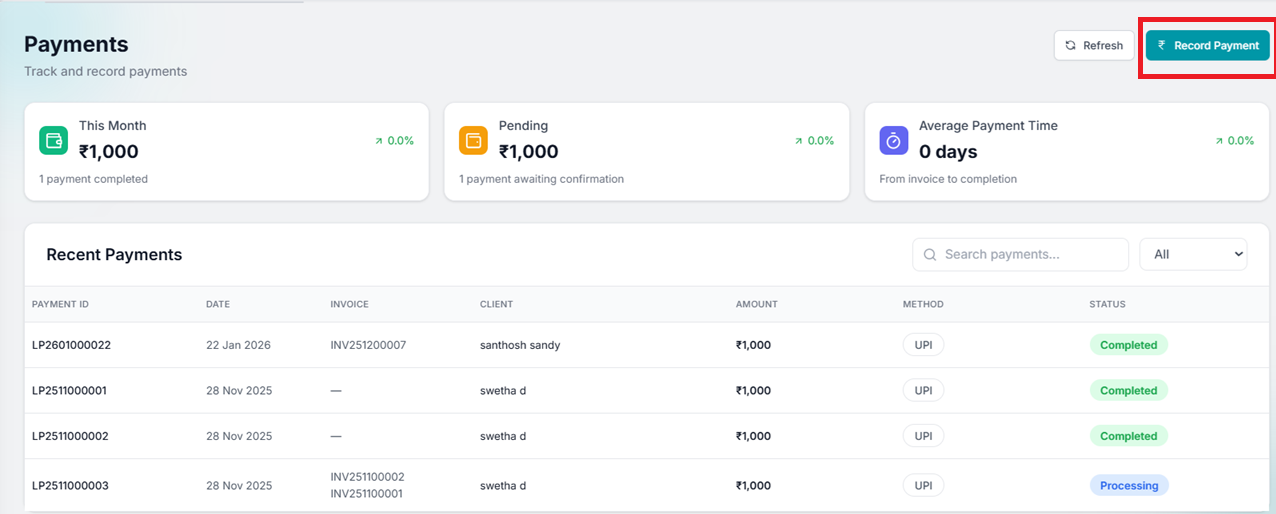
Click on Record Payment
On the top-right corner of the Payments page, click the 'Record Payment' button.
Opens in a new tab • partner.octogenie.com/payments/new
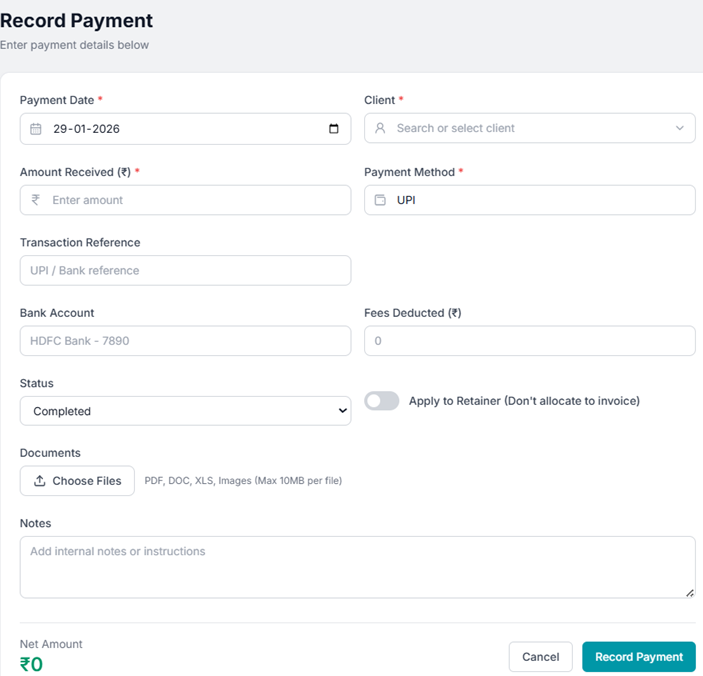
Enter Payment Details
Fill in the required fields: Client Name, Invoice Number (if applicable), Payment Amount, Payment Method (UPI, Cash, Bank Transfer, etc.), and Payment Date.
Opens in a new tab • partner.octogenie.com/clients
Save Payment
Review all entered details carefully and click on the 'Record Payment' button at the bottom of the form.
Opens in a new tab • partner.octogenie.com/payments/new
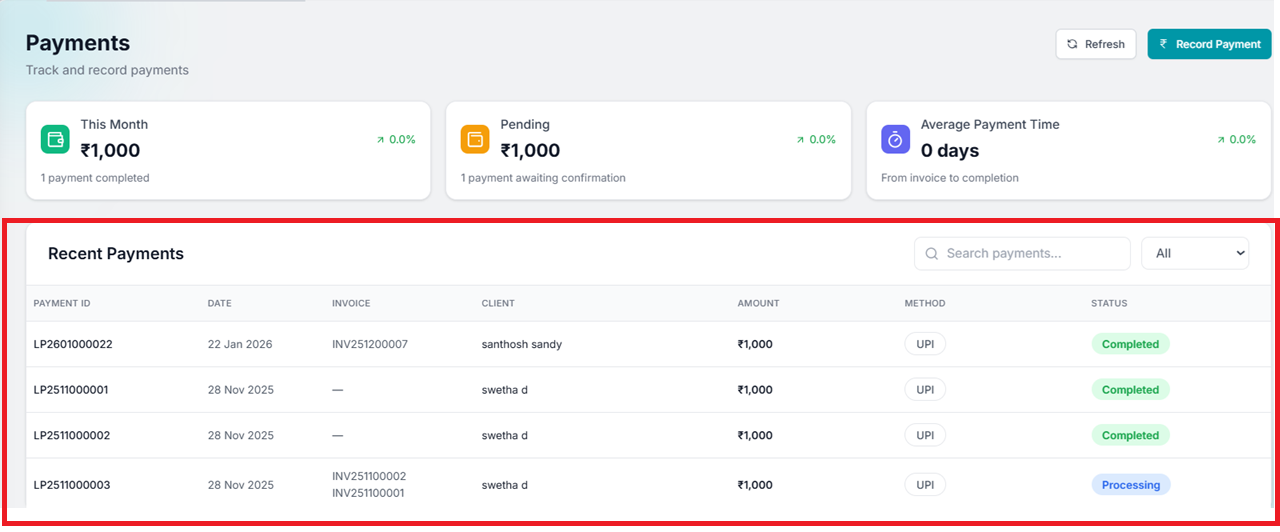
Verify in Recent Payments
The recorded payment will appear under 'Recent Payments' with details like Payment ID, Client name, Amount, Method, and Status.
Opens in a new tab • partner.octogenie.com/clients
Expected Outcome
Payment is successfully recorded, and linked invoices are updated automatically.
You're all set!
Payment is successfully recorded and linked to the invoice. Invoice status is updated accordingly.
How to Filter Payments
Find specific payments using filters
Filtering and Searching Payments
Narrow down results to quickly locate specific payment records based on status or search criteria.
Locate Filter Options
On the Payments page, go to the top-right section above the Recent Payments list to find the Search field and Status dropdown.
Opens in a new tab • partner.octogenie.com/payments
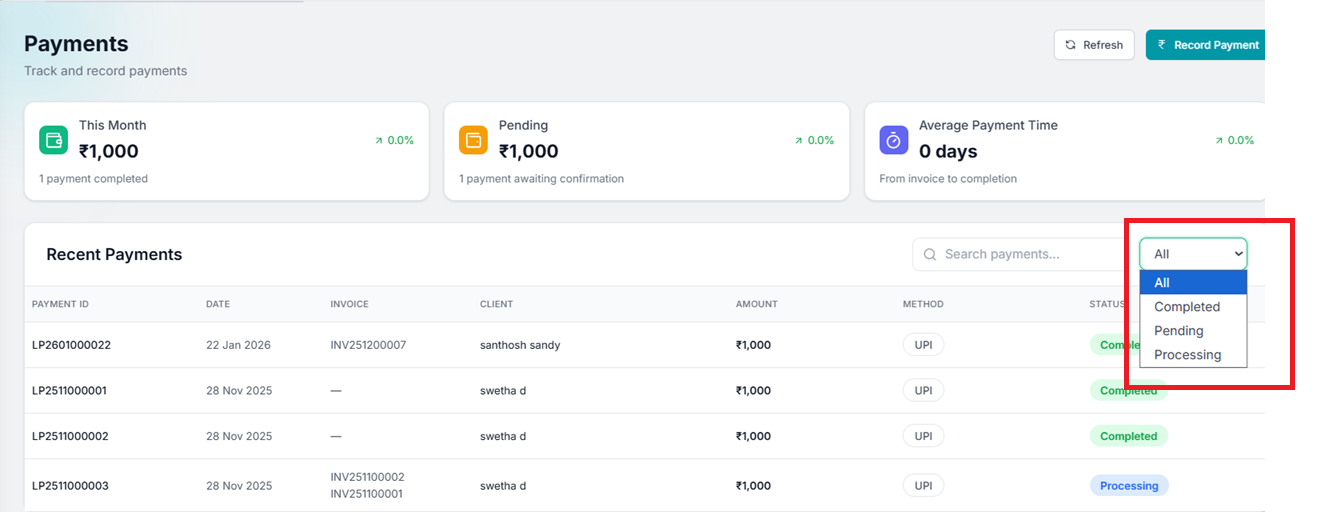
Filter by Payment Status
Click on the Status dropdown and select: 'Completed' for successful payments, or 'Pending / Processing' for payments awaiting confirmation.
Opens in a new tab • partner.octogenie.com/payments
Use Search keyword
Use the 'Search payments' field to find specific records using Payment ID, Client name, or Invoice number.
Opens in a new tab • partner.octogenie.com/clients
View Filtered Results
The list will update automatically to display matching records, ensuring faster access and improved operational efficiency.
Opens in a new tab • partner.octogenie.com/payments
Expected Outcome
Effortlessly manage and monitor your firm's cash flow history.